Answers for customer and internal questions
based on your data
Connect Excel, CSV, or Google Sheets, set a few response rules, and start using it right away.
It answers from the real numbers and records in your tables,
which helps cut down on wrong guidance and repetitive support work.
Please tell me about price changes for product code P001
Business-ready support without a heavy setup
Upload files or connect Google Sheets, then set your rules. Answers grounded in your data help reduce mistakes in day-to-day operations.
Focused on ROI
Cut repetitive search and support time with row-level retrieval.
Trust and control
Answers stay tied to your data, making them easier to check and less likely to drift into guesswork.
Fast time to value
Upload data and deploy a widget in minutes with no heavy integration required.
Operational impact
Teams usually see improvement in these three areas.
Outcomes depend on your data and workflows.
How It Works
Register Excel, CSV, or Google Sheets and use them for queries and support right away
Upload Excel/CSV & Connect Google Sheets
Import products, prices, inventory, and policies from Excel/CSV files or Google Sheets. Everything stays in its original table format, ready for AI to read.
Set Response Policy
Decide how your data should be queried and summarized. Set the tone and how evidence is shown to fit your business.
Hybrid retrieval accurate at row level
Semantic and keyword search combine to surface only the rows that matter. Answers come straight from real data rows, via widget or REST API.
AI built for operational data
Find, compare, and summarize tabular data accurately, then respond within your policies
AI that prioritizes data accuracy
Queries and judges based solely on structured data, providing reliable results while minimizing hallucinations.
Focused on Excel, CSV, and Google Sheets
Connect structured data such as products, prices, inventory, and policies directly through Excel, CSV, or Google Sheets.
Precise data search by row
Accurately queries, compares, and judges based on each data row, not document summaries.
Evidence-based AI that minimizes hallucinations
Uses actual data rows as evidence rather than learned knowledge, and is designed to avoid adding information that isn't in your data.
AI interface that understands your business
Supports flowing business conversations, not just single requests.
AI that Remembers Conversations and Context
Remembers previous requests and judgment criteria, so you can continue the conversation without re-explaining.
Response Policy Settings
Configure tone, response methods, and safety rules to create AI responses that fit your business needs.
REST API & Chatbot Widget
Easily integrate into your service and business workflow through API or web widget integration.
Supported Modes
Three layout options for embedding the chatbot widget on your site.
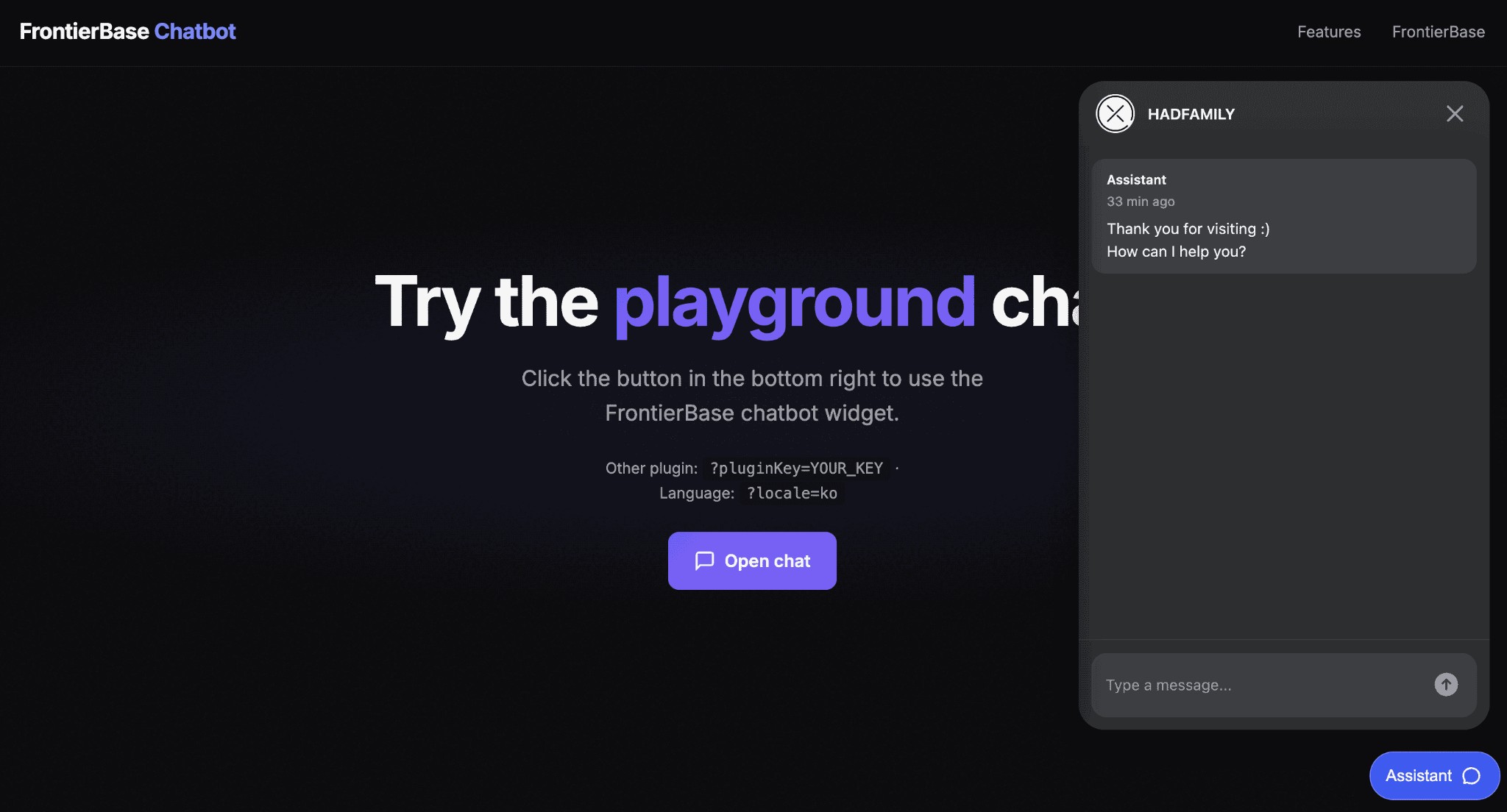
Floating mode
Tip
A floating button appears in the bottom-right corner. Clicking the button opens the chat panel without disrupting the user's flow. Best for content-first environments such as general websites and landing pages.
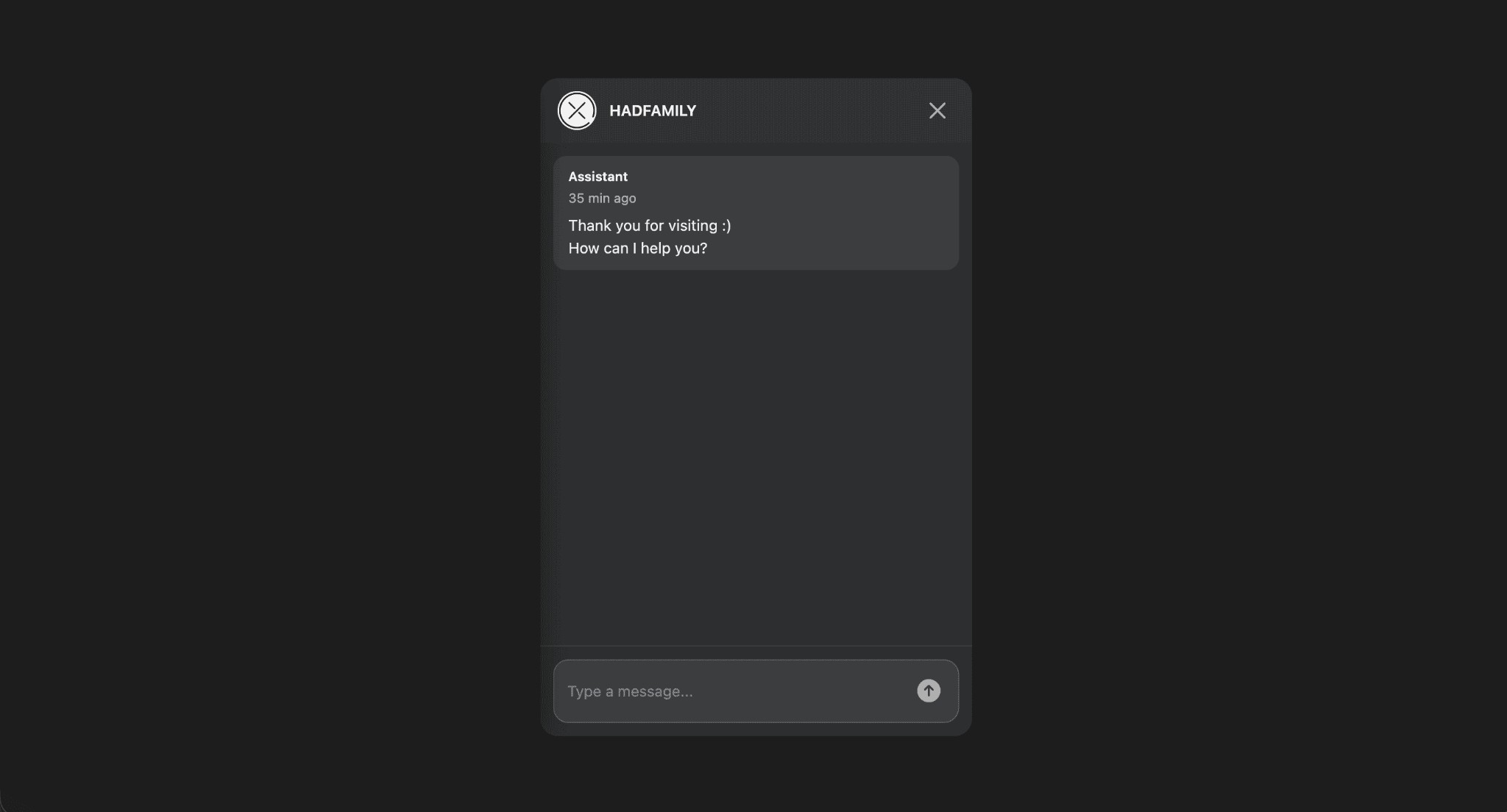
Full-screen mode
Tip
Chat is shown as an overlay covering the entire screen. Other elements are minimized so the user can focus on chat. Ideal for support, onboarding, or focused conversation experiences.
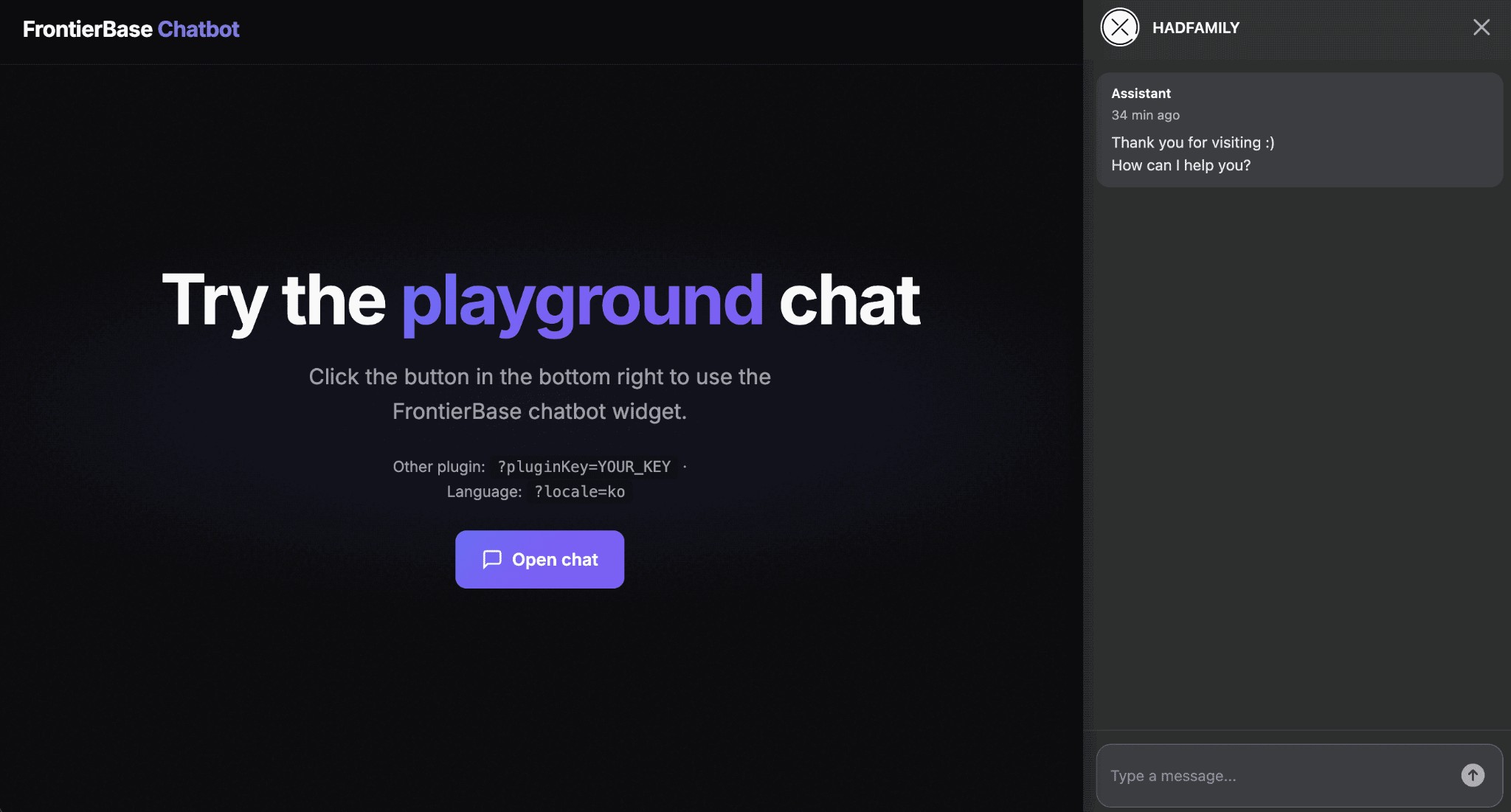
Agent layout mode
Tip
The main content area is pushed to one side and the chat panel is fixed beside it. Particularly useful when explaining or guiding based on what the user is viewing. Optimized for desktop as an assistant layout: document reading, service guides, admin screen explanations, and similar use cases.

Create your own AI chatbot
Adding it to your site or service is straightforward
We use cookies to improve your experience and for marketing. Read our cookie policy or manage cookies .